
Europemigrationguide.com is reader-supported. When you buy through links on our site, we may earn an affiliate commission.
No-code tech skills for remote jobs are no longer just an alternative path into the digital economy—they are quickly becoming one of the most practical and realistic ways for beginners to enter remote work without technical barriers. What makes this shift so important in 2026 is not just accessibility, but how these tools completely change the way work is done. Instead of spending months learning programming languages before building anything useful, you can now start creating real systems, automations, and digital products almost immediately using visual platforms. This removes the traditional delay between learning and earning, which is why more beginners are choosing this path.
Quick Answer: No-code tech skills allow beginners to build websites, automate workflows, manage data systems, and create digital tools using platforms like Zapier, Airtable, Webflow, and Bubble without writing code. These skills are highly in demand for remote jobs and freelance work because they focus on solving real business problems quickly and efficiently.
At the beginning, many people assume that entering tech requires deep technical knowledge, advanced mathematics, or years of structured learning. That assumption is one of the biggest reasons people delay starting. But the reality of today’s remote job market is very different. Companies are not just looking for developers—they are looking for problem solvers. They want people who can streamline processes, automate repetitive work, and build simple systems that improve efficiency. No-code tools make this possible because they shift your focus away from writing code and toward understanding how systems work.
This is where the real advantage comes in. Instead of thinking in terms of syntax and programming logic, you begin to think in terms of workflows and outcomes. You are no longer asking, “How do I code this?” but rather, “What do I want this system to do?” That shift alone makes no-code one of the most beginner-friendly and practical entry points into remote work today, especially for those who want to start earning without spending months stuck in theory.
What No-Code Really Means (And Why It Is So Powerful for Beginners)
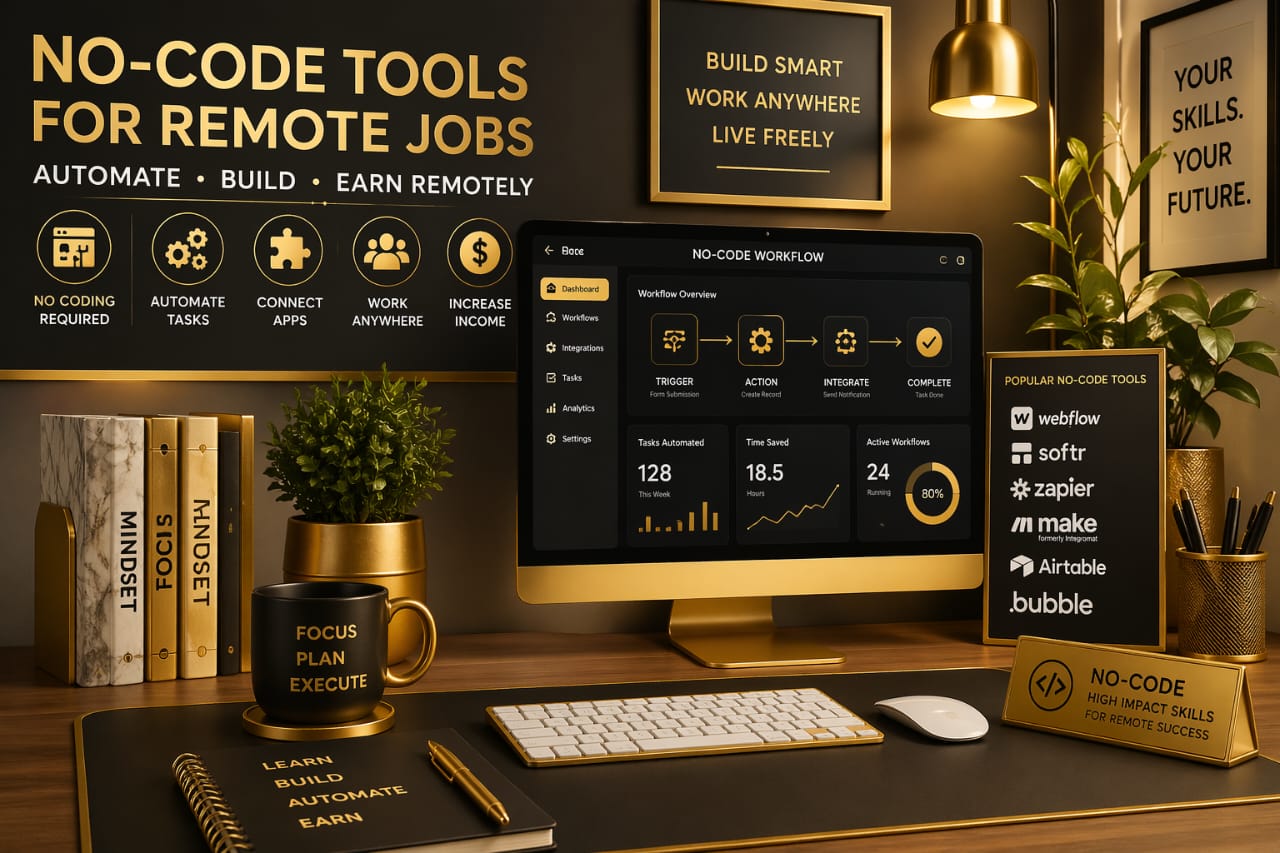
No-code tools are software platforms that allow you to build functional digital systems using visual interfaces such as drag-and-drop builders, structured workflows, and automation triggers instead of writing traditional programming code. While the concept sounds simple on the surface, the impact is significant because it removes one of the biggest barriers in tech—complexity. The logic behind these systems already exists within the platform; your role is to connect the pieces in a way that produces a desired outcome.
For example, instead of writing a script that sends an email every time a customer submits a form, you can use a tool like Zapier to visually connect the form to your email platform. You define a trigger, such as “form submitted,” and an action, such as “send email,” and the system runs automatically in the background. This approach allows beginners to build real, working systems without needing to understand how the code behind them functions.
What makes this powerful is not just simplicity, but speed. You can test ideas quickly, adjust workflows easily, and improve systems without starting from scratch. This flexibility is exactly what businesses need, especially in remote environments where efficiency and adaptability are critical. Instead of waiting for developers to build solutions, teams can create and manage their own systems using no-code tools, which increases demand for people who understand how to use them effectively.
Why No-Code Skills Are Growing Rapidly in Remote Jobs
The rise of no-code skills is directly connected to how modern businesses operate. Companies today prioritise speed, cost-efficiency, and adaptability, especially in remote environments where teams are distributed across different locations. Hiring developers for every small task is not always practical, and this is where no-code tools provide a strong alternative. They allow teams to build workflows, manage operations, and automate repetitive processes without relying entirely on technical specialists.
This shift has created a new type of opportunity for beginners. You are no longer competing based on years of experience—you are competing based on your ability to deliver results. If you can automate a workflow, organise data efficiently, or build a simple website that solves a business problem, you already have a skill that companies are willing to pay for.
Remote work has amplified this even further. Since companies can hire from anywhere, they focus less on traditional qualifications and more on practical ability. This means beginners who understand no-code tools can enter the job market much faster than those following traditional paths. If you are still unsure which roles align with your current level, this guide explains the most realistic options clearly: best remote jobs for beginners no experience.
The key takeaway here is simple but important: no-code skills reduce the time between learning and earning, which makes them one of the most efficient ways to start working remotely.
Core No-Code Tools You Should Focus On (Without Overwhelming Yourself)
One of the biggest challenges beginners face is trying to learn too many tools at once. The no-code space is growing quickly, and it is easy to feel overwhelmed by the number of platforms available. However, the goal is not to learn everything—it is to focus on tools that solve real problems and are widely used in remote work environments. When you narrow your focus, your progress becomes faster and more structured.
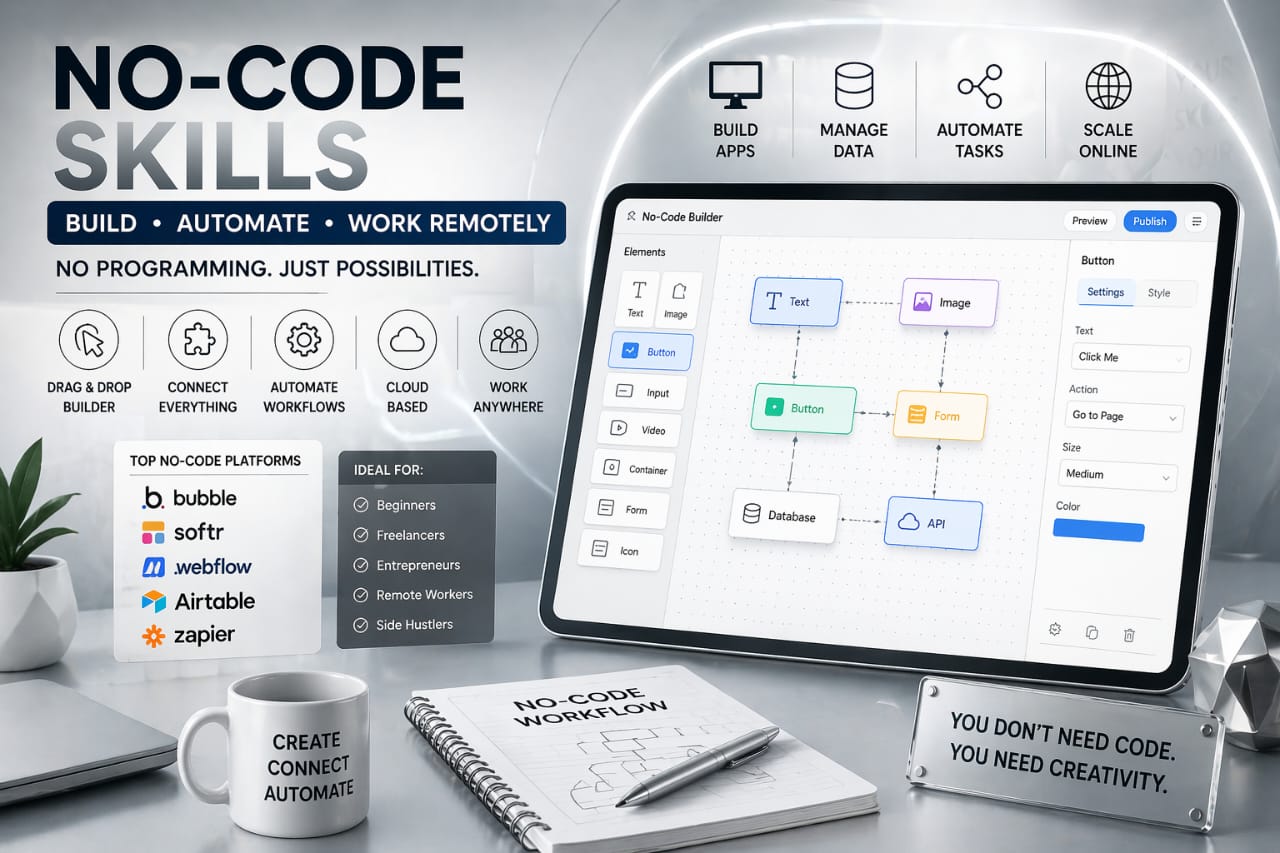
Zapier is one of the best starting points because it introduces you to automation. It allows you to connect different applications and create workflows that run automatically. For example, you can connect a form to a spreadsheet, send notifications to a messaging app, or automate email responses. This teaches you how systems interact, which is a core skill in remote work.
Airtable takes this further by helping you organise and manage data. While it looks like a spreadsheet, it functions more like a database, allowing you to track projects, manage content, and build structured workflows. Many remote teams rely on Airtable for operations, which makes it a valuable skill to learn early.
Webflow focuses on website creation, giving you the ability to design professional websites without coding. Unlike basic website builders, it offers more control, which makes it useful for freelance work and business projects. Bubble, on the other hand, allows you to build full web applications, making it ideal for more advanced projects once you gain confidence. Adalo extends this into mobile app development, giving you the ability to create functional apps using visual components.
The most effective approach is to start with one tool, build simple projects, and gradually expand your skill set. This prevents overwhelm and allows you to develop practical experience instead of theoretical knowledge.
How to Start Learning No-Code Tools Without Getting Stuck
Many beginners fall into the trap of consuming too much information without taking action. Watching tutorials, reading guides, and researching tools can feel productive, but it does not build real skill. The only way to learn no-code effectively is by creating something, even if it is simple. The goal is not perfection—it is understanding how systems work through practice.
A practical starting point is automation. For example, you can create a simple workflow where a form submission triggers an email notification. This teaches you how triggers and actions work together. From there, you can expand into more complex systems, such as organising data in Airtable or building landing pages in Webflow.
If you are looking for places to apply these skills and start getting real opportunities, this guide explains where beginners actually find work: best websites to find remote jobs for beginners. The key is to combine learning with application so that your progress is practical and measurable.
Your Work Setup Can Affect How Fast You Progress
While most people focus only on learning tools, they often overlook the importance of their working environment. Since no-code tools are browser-based and often require multitasking between platforms, your setup plays a major role in how efficiently you can work. A slow device, poor navigation, or uncomfortable setup can reduce your productivity and make learning more difficult than it needs to be.
Many remote workers improve their workflow by using reliable equipment that supports long hours of focused work. For example, working with a powerful laptop designed for remote work and multitasking makes it easier to run multiple no-code tools at the same time without performance issues. Pairing this with a precision wireless mouse for smoother navigation and workflow control can significantly improve how you interact with drag-and-drop interfaces, especially when working on complex dashboards or automation systems.
These may seem like small details, but they directly affect your ability to stay consistent and productive. When your setup supports your workflow, learning becomes faster and more comfortable.
Why No-Code Is One of the Fastest Ways to Enter Remote Work
Traditional tech paths often require long periods of study before you can apply your knowledge in real-world situations. No-code changes this completely by allowing you to build while you learn. This creates a faster feedback loop where you can test ideas, see results, and improve continuously without waiting for months to feel ready.
This approach also changes your mindset. Instead of focusing on learning everything before starting, you begin by solving small problems and gradually building more complex systems. Over time, these small wins compound into real skills that can be monetised.
The most important thing to understand is that no-code is not about avoiding complexity—it is about approaching it differently. You are still building systems, but you are doing it in a way that is more accessible, faster, and aligned with how modern remote work operates.
Once you understand this, you stop overthinking the process and start taking action. And that is what separates people who remain stuck in learning from those who actually move forward and start earning.
How to Turn No-Code Skills Into Real Remote Income
Learning no-code tools is only the starting point. What actually matters is turning those skills into something that produces income. Many beginners stop at learning because they are not sure how to connect what they know to real opportunities. What separates those who learn from those who earn is not knowledge—it is application. Once you start using these tools to solve real problems, your skills become valuable immediately.
The easiest way to start is by focusing on small, practical services that businesses actually need. For example, many businesses struggle with repetitive tasks such as sending emails, updating records, or managing customer data. Using tools like Zapier, you can automate these processes and save them time. This is something companies are willing to pay for because it directly improves efficiency.
Another approach is building simple systems using Airtable. Businesses often need help organising their data, tracking workflows, or managing projects. When you can create a clean and structured system that helps them operate more efficiently, you are no longer just a beginner—you are providing a solution.
Website creation is another strong entry point. Using Webflow, you can design landing pages, portfolios, or business websites without coding. Many small businesses need an online presence but do not have the resources to hire developers. This creates an opportunity for beginners to step in and deliver value.
The key is to start small, focus on solving one problem at a time, and build experience through real work. Most beginners underestimate how quickly small projects can turn into real opportunities. Over time, these small projects create proof, and that proof is what leads to better opportunities and higher income.
Step-by-Step Beginner Workflow Using No-Code Tools
To make this practical, it is important to understand how a beginner workflow actually looks. Without structure, it is easy to feel lost even when you have access to the right tools. A simple workflow helps you move from learning to execution without confusion.
The first step is choosing one tool and one use case. For example, you can start with Zapier and focus on automation. Instead of trying to learn everything, you create one workflow, such as connecting a form to an email notification. This teaches you how triggers and actions work together in a real scenario.
The second step is improving that workflow. You can expand it by adding more actions, such as storing data in Airtable or sending notifications to another platform. This builds your understanding of how systems connect and operate.
The third step is documenting what you have built. This is important because it becomes part of your portfolio. Even simple projects can demonstrate your ability when presented clearly.
The fourth step is applying your skills. Instead of waiting to feel ready, you begin offering your services on platforms where beginners are accepted. This is where many people delay progress, but taking action early is what creates momentum. If you want to understand how to apply effectively, this guide explains the process clearly: how to apply for remote jobs without experience.
This workflow is simple, but it works because it focuses on action rather than overthinking.
Real Remote Job Roles That Use No-Code Skills
No-code skills are not limited to one type of job—they apply across multiple roles in remote work. This flexibility is what makes them valuable, especially for beginners who want different entry points.
One common role is a workflow automation assistant. In this role, you help businesses automate tasks using tools like Zapier. This includes setting up systems that reduce manual work and improve efficiency.
Another role is a data or operations assistant. Using tools like Airtable, you can help businesses organise information, track projects, and manage workflows. This role focuses more on structure and organisation rather than automation.
Website building is another strong option. Using Webflow, you can create landing pages and websites for businesses or individuals. This can start as small freelance projects and grow into more advanced work over time.
There are also hybrid roles where you combine multiple tools to build complete systems. For example, connecting a website form to an automated workflow and storing data in a structured system. These types of roles are growing because they provide end-to-end solutions.
The important thing is not the title—it is the ability to solve problems using no-code tools. Once you can do that, you can fit into multiple roles depending on your interest and skill level.
Common Mistakes Beginners Make (And How to Avoid Them)
One of the most common mistakes is trying to learn too many tools at once. This creates confusion and slows down progress because you never fully understand how any single tool works. A better approach is to focus on one tool, build with it, and then expand gradually.
Another mistake is staying in learning mode for too long. Watching tutorials without applying what you learn creates a false sense of progress. Many people realise this only after spending weeks learning without building anything. Real understanding comes from building, testing, and improving systems.
Many beginners also underestimate the importance of positioning. Simply knowing how to use a tool is not enough—you need to show how it solves a problem. This is what makes your skill valuable to employers or clients.
Ignoring safety is another issue, especially when applying for remote jobs. There are many fake opportunities that target beginners. Understanding how to identify and avoid these risks is important for protecting your time and effort. This guide explains it clearly: remote job scams to avoid.
When you avoid these mistakes, your progress becomes faster and more consistent because you are focusing on what actually works.
Building a Productive No-Code Work Environment
As you begin working with multiple tools and projects, your environment becomes more important. No-code workflows often require switching between tabs, managing dashboards, and handling different systems at once. Without a proper setup, this can become overwhelming and reduce your efficiency.
Many remote workers improve their workflow by using tools that support focus and organisation. For example, using noise-cancelling headphones for focused remote work sessions helps reduce distractions and allows you to concentrate on building and testing systems without interruptions.
In addition, having a structured workspace setup can improve how you interact with your tools. Using a laptop stand or docking setup for better posture and workflow efficiency makes it easier to manage long hours of work, especially when handling multiple applications at the same time.
These improvements may seem small, but they directly affect your ability to stay consistent, which is one of the most important factors in building a successful remote career.
Frequently Asked Questions
Can I get a remote job with no-code skills as a complete beginner?
Yes, you can get a remote job with no-code skills even as a complete beginner, but the key is not just learning the tools—it is showing how you can use them to solve real problems. Employers are not looking for perfection; they are looking for clarity and reliability. When you can demonstrate simple workflows, automation systems, or organised data structures, you already have something valuable to offer.
How long does it take to learn no-code tools?
The learning curve for no-code tools is much shorter compared to traditional programming. Most beginners can understand the basics within a few days and start building simple systems within a few weeks. However, improvement comes from consistent practice. The more you build, the more confident and efficient you become.
Do I need a technical background to succeed in no-code?
No, you do not need a technical background to succeed in no-code. These tools are designed specifically for people without programming experience. What matters more is your ability to think logically, understand workflows, and apply what you learn to real situations.
What is the easiest no-code skill to start with?
Automation is usually the easiest starting point because it focuses on simple logic rather than complex systems. Tools like Zapier allow you to connect applications and create workflows quickly, which helps you understand how no-code systems operate.
Is no-code a long-term career or just a trend?
No-code is not just a trend—it is part of a larger shift in how technology is built and used. As businesses continue to prioritise speed and efficiency, the demand for people who can build and manage systems without coding is expected to grow. This makes no-code a sustainable and valuable skill for the future.
Conclusion
No-code tech skills for remote jobs provide one of the fastest and most practical paths into the digital workforce. They remove the barrier of programming while still allowing you to build real systems, solve problems, and create value.
The most important step is to start. You do not need to know everything—you need to take action, build simple projects, and improve over time. As your skills grow, your opportunities grow with them.
Remote work is no longer limited to people with technical backgrounds. With no-code tools, anyone willing to learn and apply can build a path into the digital economy. The process is simple, but it requires consistency—and that consistency is what turns skill into income.