

Europemigrationguide.com is reader-supported. When you buy through links on our site, we may earn an affiliate commission.
High income AI tools for remote jobs are changing how beginners enter the digital workforce in 2026, and the shift is more practical than most people expect. You no longer need advanced coding skills or years of experience to start earning online. What matters now is your ability to use AI tools to solve real business problems—automating workflows, managing data, generating content, and improving efficiency in ways that save time and produce clear results.
Quick Answer: High income AI tools for remote jobs include ChatGPT (content and automation), Zapier (workflow automation), Perplexity (research), and Canva Magic Studio (design). When combined into simple workflows, these tools help beginners create systems that businesses are willing to pay for because they save time, improve productivity, and deliver consistent output.
The biggest shift is accessibility. A few years ago, building systems like automated emails, data workflows, or content pipelines required technical knowledge that most beginners didn’t have. Now, AI tools and no-code platforms have removed that barrier completely. You can build functional systems visually, automate repetitive tasks, and deliver real value without writing code or having a technical background.
From experience, the turning point is when you stop treating AI tools as something to “learn” and start using them to solve real problems. The moment you build even a simple workflow that saves time or improves output, everything becomes clearer. That is when AI stops being confusing and starts becoming practical.
This is exactly why businesses are shifting their hiring approach. They are no longer just looking for people to complete tasks—they are looking for people who can improve how work gets done. Efficiency, speed, and consistency now matter more than effort alone, and AI tools make that possible. When used correctly, one person can now handle tasks that previously required multiple roles.
However, this is where most beginners struggle. Instead of focusing on outcomes, they focus on tools. They jump between ChatGPT, Canva, automation platforms, and research tools without understanding how they connect into a real workflow. That approach leads to confusion and slow progress. The smarter approach is to focus on one workflow, understand how it solves a problem, and then expand from there.
Why High Income AI Tools Are Driving Remote Work in 2026
The remote job market has evolved from simple task execution into something far more results-driven. Companies are no longer interested in paying people just to follow instructions or complete repetitive work. What they want now are individuals who can improve systems, reduce manual effort, and create workflows that increase output without increasing cost.
A simple example makes this clear. A business that receives customer inquiries daily would normally need staff to respond manually. With AI tools and automation, that same business can build a system that responds instantly, organises customer data, and triggers follow-ups automatically. The result is faster response time, reduced workload, and lower operational cost. That efficiency is not optional anymore—it is something businesses actively look for.
The same shift is happening in content creation. Instead of spending hours writing and designing from scratch, businesses now rely on AI-assisted workflows to speed up production while maintaining quality. But the real value is not just using the tools—it is knowing how to structure them into systems that produce consistent results over time.
If you are still exploring where to start, this guide explains beginner-friendly opportunities clearly: best remote jobs for beginners no experience.
Core AI Tools and Their Real Impact on Remote Income
To understand how AI tools translate into income, you need to look beyond features and focus on outcomes. Each tool plays a role in solving a specific problem, and when combined, they create workflows that deliver real value to businesses.
AI Tool |
Main Function |
Best For |
Impact on Performance |
|---|---|---|---|
ChatGPT |
Content creation and automation |
Writing, emails, reports |
Faster output and consistent delivery |
Zapier |
Workflow automation |
Connecting apps and automating tasks |
Reduces manual work and saves time |
Perplexity |
AI research |
Data gathering and accuracy |
Improves decision-making and content quality |
Canva Magic Studio |
Design and visuals |
Marketing and social media |
Creates professional visuals quickly |
I’ve found that most beginners overcomplicate this stage. You don’t need ten tools to get started. Even combining just two or three of these tools into a simple workflow is enough to deliver real value if you focus on solving one clear problem.
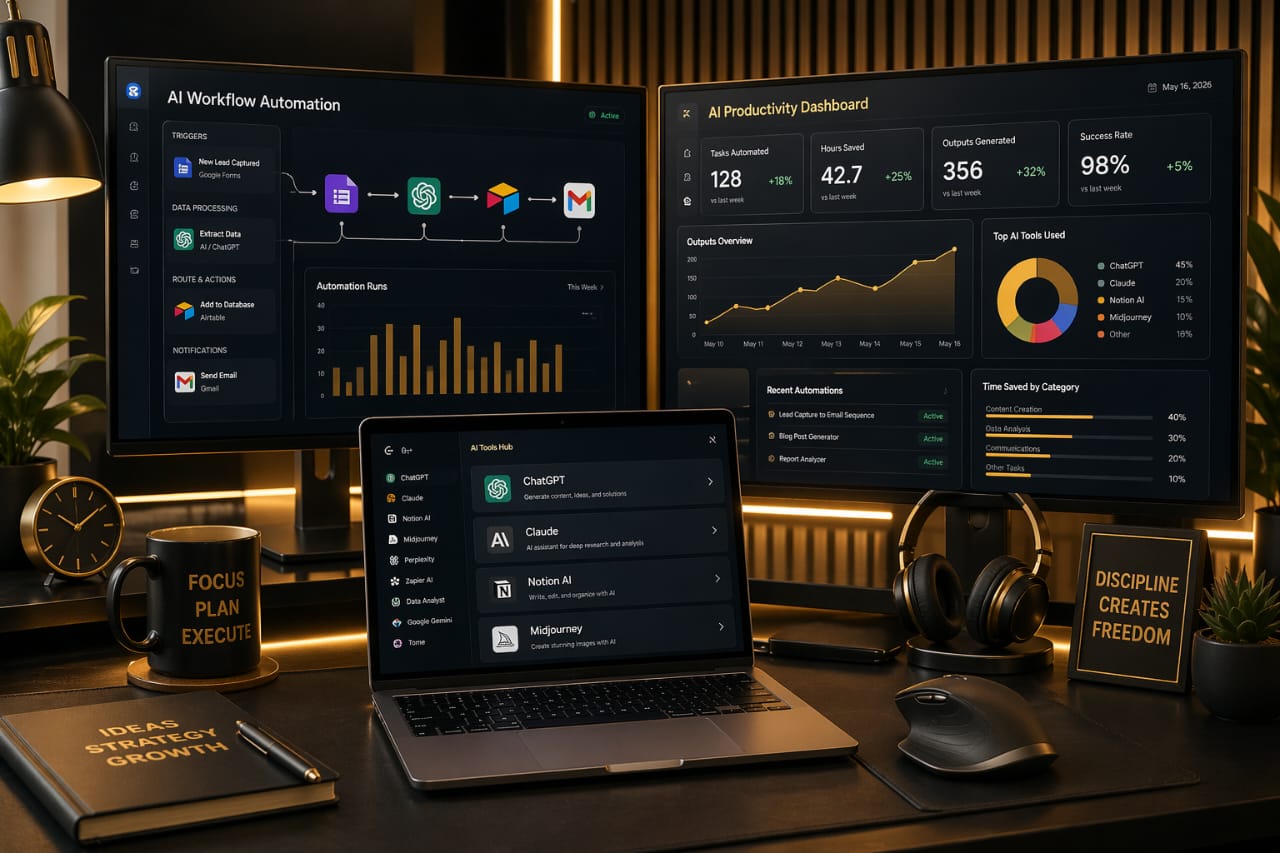
For example, you can use Perplexity for research, ChatGPT for structured content, Canva for visuals, and Zapier to automate delivery. When you build systems like this, you are no longer just using tools—you are creating solutions that businesses can rely on consistently.
How AI Skills Turn Into Real Remote Income
The difference between learning AI tools and actually earning from them comes down to one thing—value. Businesses do not pay for tools. They pay for results. When you use AI tools to solve a problem, reduce workload, or improve efficiency, you create something that has real business impact.
For example, an automated onboarding system that captures leads, sends follow-up emails, and organises data can save a company several hours of manual work every week. That saved time becomes measurable value, which is why businesses are willing to pay for it. The same applies to content workflows that consistently produce blog posts, marketing materials, or social media content.
One thing that becomes obvious once you start doing this is that clients rarely care about the tools you use. What they care about is whether the system works and whether it helps them save time or grow their business.
If you want to see where to apply these skills, this guide explains the best platforms to start from: best websites to find remote jobs for beginners.
Your Work Setup Directly Affects Your Productivity
One factor that many beginners ignore is how much their working environment affects their productivity. When you are running multiple AI tools, switching between dashboards, and building workflows, your system needs to handle everything smoothly. Any delay or limitation breaks your focus and slows down your progress.
I noticed this personally when working with multiple AI tools at once—once your system starts slowing down, everything becomes harder than it should be. Tasks take longer, switching between tools becomes frustrating, and your overall output drops without you even realising it.
This is why having a reliable system matters. A laptop that can handle multitasking allows you to run multiple tools at once, test workflows without interruption, and stay focused on building systems instead of dealing with performance issues.
Best Laptop for AI Workflows: Dell Inspiron 15 (i7, 16GB RAM, 1TB SSD)
View this laptop on Amazon
As your workflow becomes more advanced, screen space becomes just as important. Managing dashboards, spreadsheets, and automation tools on a single screen forces you to constantly switch between tabs, which reduces efficiency and increases mental fatigue.
Best Monitor for Productivity: Dell 27” 4K Monitor
View this monitor on Amazon
When you can see multiple tools at once, your workflow becomes smoother and more organised. It might seem like a small improvement, but over time it makes a significant difference in how efficiently you work and how much you can produce.

How to Build a Simple AI Workflow That Actually Pays
Understanding AI tools is one thing, but turning them into something that generates income requires a complete shift in how you approach work. Businesses are not interested in whether you know how to use different tools individually; they care about whether you can combine those tools into systems that solve real problems in a consistent and reliable way. This is why workflows matter more than tools, because a workflow produces results while tools are simply parts of that process working together toward a specific outcome.
A practical way to approach this is by building a simple system that you can repeat and improve over time instead of trying to create something complex from the beginning. For example, you can start by using Perplexity to gather accurate information, then use ChatGPT to structure and turn that information into useful content, and finally use Canva to design visuals that support the output. Once this process is clear, you can repeat it consistently, refine each step, and improve both speed and quality without needing to restart every time.
From experience, the biggest breakthrough happens when you complete your first full workflow from start to finish, because that is when everything begins to make practical sense. It does not need to be perfect, but it needs to work, and once it does, your confidence increases while your learning becomes more focused. Instead of jumping between tools without direction, you begin improving what you already understand, which leads to faster progress and more meaningful results over time.
The key is to focus on solving one clear problem rather than trying to master every tool available, because tools are only valuable when they produce an outcome that someone actually needs. When your workflow creates a clear result—whether it is content, automation, or organised data—you move from theory into real application, and that is what opens the door to actual income opportunities in remote work.
Simple Workflow Paths You Can Start With
One of the main reasons beginners struggle is because they try to do too much at once, which creates confusion instead of progress. A more effective approach is to follow a clear path and build from there, focusing on one area where you can create value consistently. Content creation is often the easiest starting point because it allows you to combine research, writing, and design into a repeatable process that can be used for blog posts, social media content, or client work.
Another strong path is automation, where you connect tools to handle repetitive tasks like sending emails, updating spreadsheets, or managing simple workflows without constant manual effort. This is valuable for businesses because it saves time, reduces errors, and improves efficiency. There is also research and reporting, where you use AI tools to gather, organise, and present information in a structured way that supports decision-making, especially for businesses that need insights but lack the time to analyse data themselves.
As your confidence grows, these paths can be combined into more complete systems that handle multiple steps within a process, allowing you to deliver more value without increasing your workload significantly. The goal is not to use more tools, but to build workflows that work reliably over time, because a simple system that produces consistent results is always more valuable than a complex setup that fails or requires constant adjustments.
Common Mistakes That Slow Progress
Many beginners slow themselves down by trying to learn too many tools at once, which creates shallow knowledge that is difficult to apply in real situations. Instead of building something meaningful, they end up with scattered understanding that does not translate into actual work. Focusing on one workflow and building it properly creates a stronger foundation and makes it easier to expand later with more confidence and clarity.
Another common mistake is spending too much time learning without applying anything, because tutorials and guides only become valuable when they are used to create something real. Without building workflows, there is no feedback, and without feedback, improvement becomes slow and uncertain. This is why practical application should always be part of the learning process from the beginning.
Inconsistency is also a major factor that holds people back, especially when results do not appear immediately and motivation starts to drop. In reality, building useful systems takes time, and progress often comes from small improvements that accumulate gradually, so staying consistent and focusing on steady progress instead of perfection makes it easier to keep moving forward.
If you want to improve how you position yourself for opportunities, this guide explains it clearly: how to apply for remote jobs without experience.
Your Workflow Efficiency Depends on How You Work
As your workflow becomes more structured, the way you interact with your tools becomes just as important as the tools themselves, because efficiency is not only about what you use but also how smoothly you can move through each step of your process. Managing multiple tabs, switching between platforms, and handling detailed tasks requires precision, speed, and consistency, and without those, even simple workflows begin to feel slow and difficult to maintain over time.
I noticed this clearly while working across multiple AI tools at once, because even when everything was set up correctly, small inefficiencies in navigation started to affect how quickly tasks could be completed. Over time, those small delays added up, reduced overall productivity, and made the workflow feel more complicated than it actually was, which is why improving how you interact with your setup becomes an important part of working efficiently.
Best Mouse for Workflow Precision: Logitech MX Master 3S
View this mouse on Amazon
A precise and responsive mouse improves navigation, reduces effort, and allows you to move between tools more efficiently, which becomes especially important when your workflow involves constant switching between platforms. When you remove small friction points like this, your work becomes faster, smoother, and more consistent without requiring additional effort.
Recommended Keyboard for Productivity: Slim wireless productivity keyboard
View this keyboard on Amazon
Typing comfort also plays an important role, especially when you are writing prompts, editing content, and managing workflows for extended periods. A comfortable and responsive keyboard reduces fatigue, helps you stay focused for longer sessions, and improves your overall consistency, which directly impacts how much work you can complete effectively.
What Actually Makes AI Skills High Income
Not every AI skill leads to high income, and this is where many people misunderstand the opportunity, because the real value does not come from using tools—it comes from the outcomes those tools help you produce. Businesses are interested in results, not processes, which means your ability to solve problems is what determines your earning potential.
For example, generating content is simple, but building a system that produces consistent, high-quality output aligned with a clear objective is what creates real value. The same applies to automation, where connecting tools is easy, but designing workflows that reduce workload, minimise errors, and improve efficiency is what makes those skills worth paying for over time.
When you begin to think in systems, your role changes completely, because instead of offering small tasks, you start offering solutions that businesses can rely on consistently. That shift increases your value significantly, since you are no longer just doing work—you are improving how work is done, which is what businesses are actually willing to pay for.
Consistency also plays a major role in this process, because businesses prefer systems that work reliably over complex setups that require constant adjustment. Even a simple workflow that delivers stable results can be more valuable than a complicated one that fails under pressure, which is why focusing on reliability often produces better long-term outcomes.
Conclusion: Turning AI Skills Into Real Opportunities
High income AI tools for remote jobs represent a practical shift in how work is done and how value is created, and the opportunity is open to anyone willing to focus on building useful systems rather than chasing tools without direction. You do not need to be an expert to start—you need to be consistent and focused on solving real problems.
The most effective approach is to start simple, build something that works, and refine it gradually while improving your understanding of how each part of the workflow contributes to the final result. When you do this consistently, your skills become more valuable, your confidence increases, and your ability to deliver results improves naturally over time.
Stay consistent, focus on outcomes, and keep improving what you build, because those small improvements eventually turn into systems that can support real income opportunities and long-term growth in remote work.
Frequently Asked Questions
Can beginners really earn with AI tools without experience?
Yes, beginners can earn with AI tools without prior experience, but the key is focusing on practical workflows rather than trying to learn everything at once. Most beginners who succeed start by building simple systems that solve one clear problem, such as content creation or basic automation. As they continue to apply these workflows, they improve them gradually and expand into more advanced systems that provide greater value to businesses.
Do I need coding skills to get started with AI tools?
No, most AI tools are designed to be user-friendly and do not require coding knowledge. You can build effective workflows using simple logic and structured steps, and many platforms are built specifically to allow beginners to create functional systems without technical expertise. Coding can be useful later, but it is not required to start or to begin earning.
How long does it take to start making money with AI workflows?
The time it takes depends on how consistently you apply what you are learning and how quickly you begin building real workflows. Some people start seeing small results within a few weeks, especially when focusing on simple services, while others take longer as they refine their systems and improve their approach. Consistency and practical application are the biggest factors that determine how quickly progress happens.
Which AI tool should I start with to avoid confusion?
Starting with one versatile tool like ChatGPT is usually the best approach because it allows you to handle multiple tasks such as writing, structuring content, and assisting with workflows. Once you are comfortable, you can gradually introduce other tools like Canva or automation platforms, which helps you build your skills step by step without becoming overwhelmed.